MaxRT Fieldbus
Overview
MaxRT Fieldbus provides an EtherCAT MainDevice (Master) and tools for wRTOS.
- Tools for configuration, diagnostics, analysis and ESI import
- Auto-discovery & Auto-Configuration deliver plug-and-play feature
- Support all Class A features (FoE, EoE…)
- C/C++ API
- Implemented as a process, allowing customers to debug their application without stopping the EtherCAT MainDevice (Master)
- Multiple MainDevice (Master) Option
- Hot Connect Option
- Cable Redundancy Option
- High-speed Option down to 100 us time cycle
Auto-Configuration
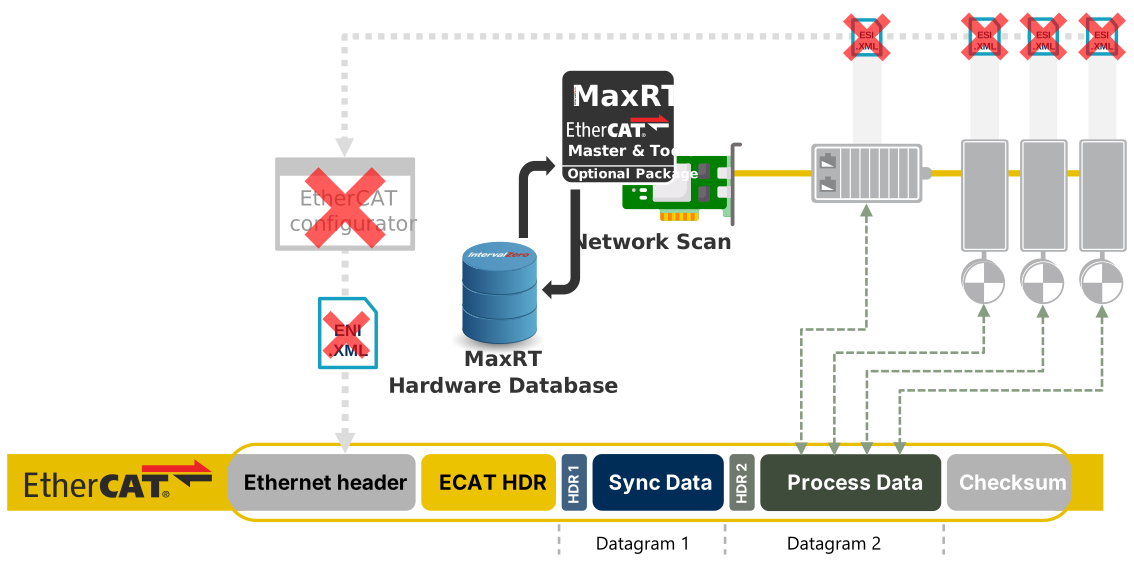
- Finds, identifies, sets up the MaxRT Fieldbus modules automatically when the MaxRT subsystem starts
- Starts the devices and records the location of each variable in the EtherCAT packet
- MaxRT applications can access each variable without needing to know its location and how to enable it
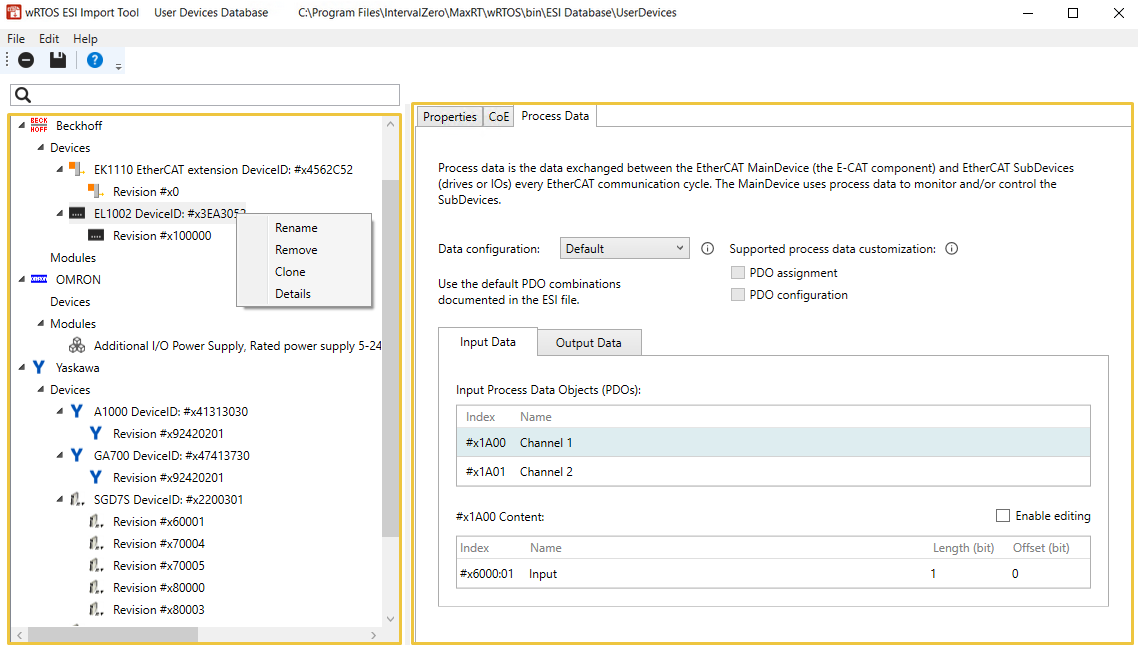
ESI Import Tool
- Add custom hardware profiles of EtherCAT enabled devices
- Use the devices immediately
- Browse the MaxRT database
- Build your own database
- Access EtherCAT devices profiles (Properties, COE, PDO)
Message Viewer
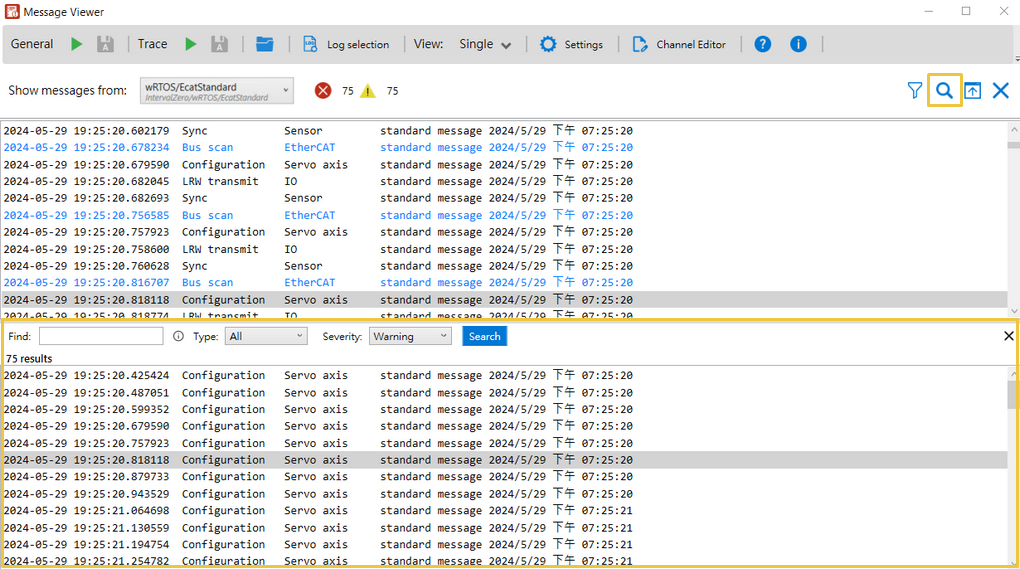
- Displays various message from the MaxRT subsystem
- Computer and networks settings
- Relevant information when errors occur
- Save logs for technical support
- Diagnose EtherCAT slaves’ status
- Based on EtherCAT profile for master diagnostic interface
Configuration tool
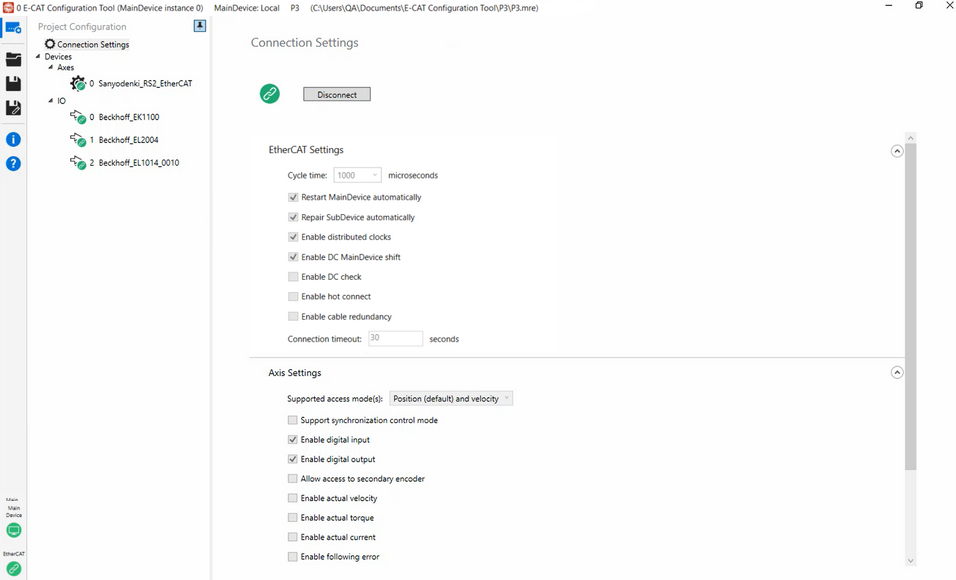
- Configure MaxRT Fieldbus settings
- Connection settings
- Axis and IOs settings
- Test
- Generate code for MaxRT parameters
- Export all settings you configured and tested in C++ code
Product links: